Targeting audio effects racks within Drum Rack?

Evening, folks –
I’ve been trying to work out how to target Audio Effecs within a Drum Rack, and I seem to keep reaching an impasse.
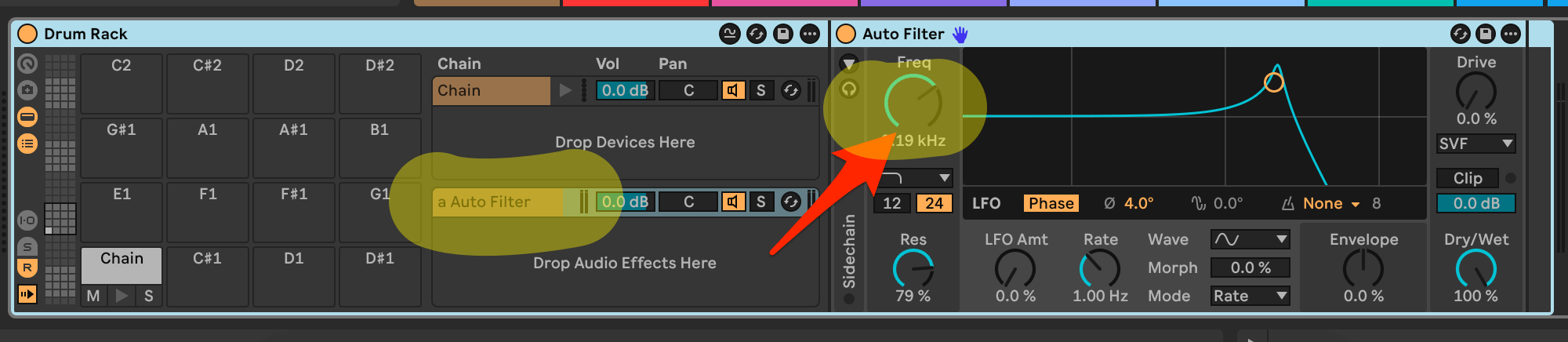
Might anyone be able to suggest how I’d want to reach parameters in the second rack, as shown below?
I have the parameter lists and can get to “Drive” in other instances, as well as using chain targeting to reach the parameters for the drum samples themselves.
I just don’t seem to be able to drill down to the items in the “Drop Audio Effects Here” section.
Any insight is vastly appreciated!


I tested it and the code works (I can control the first parameter of the first device in the first return chain of the drum rack).
How i did it was by doing the following:
1. using the new ‘Use Modifier For Device Selection’ section located in the ‘device selection’ section in the device parameter mapping type:
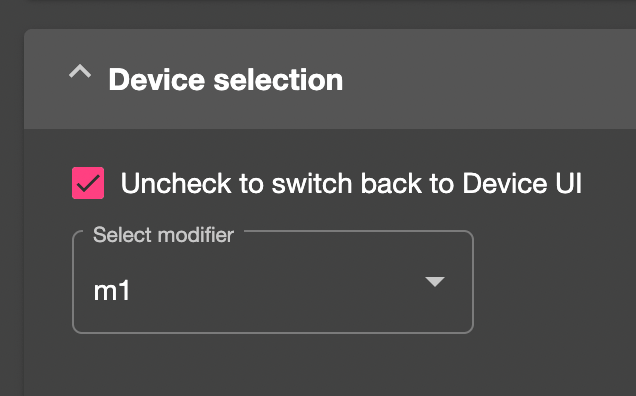
This sets the location of the device you want to control/target.
2. then setting the value of the modifier via a reaction which uses the ‘script is initiated’ listener to set the value of the m1 modifier to “.devices[0].return_chains[0].devices[0]” when the script it initiated.
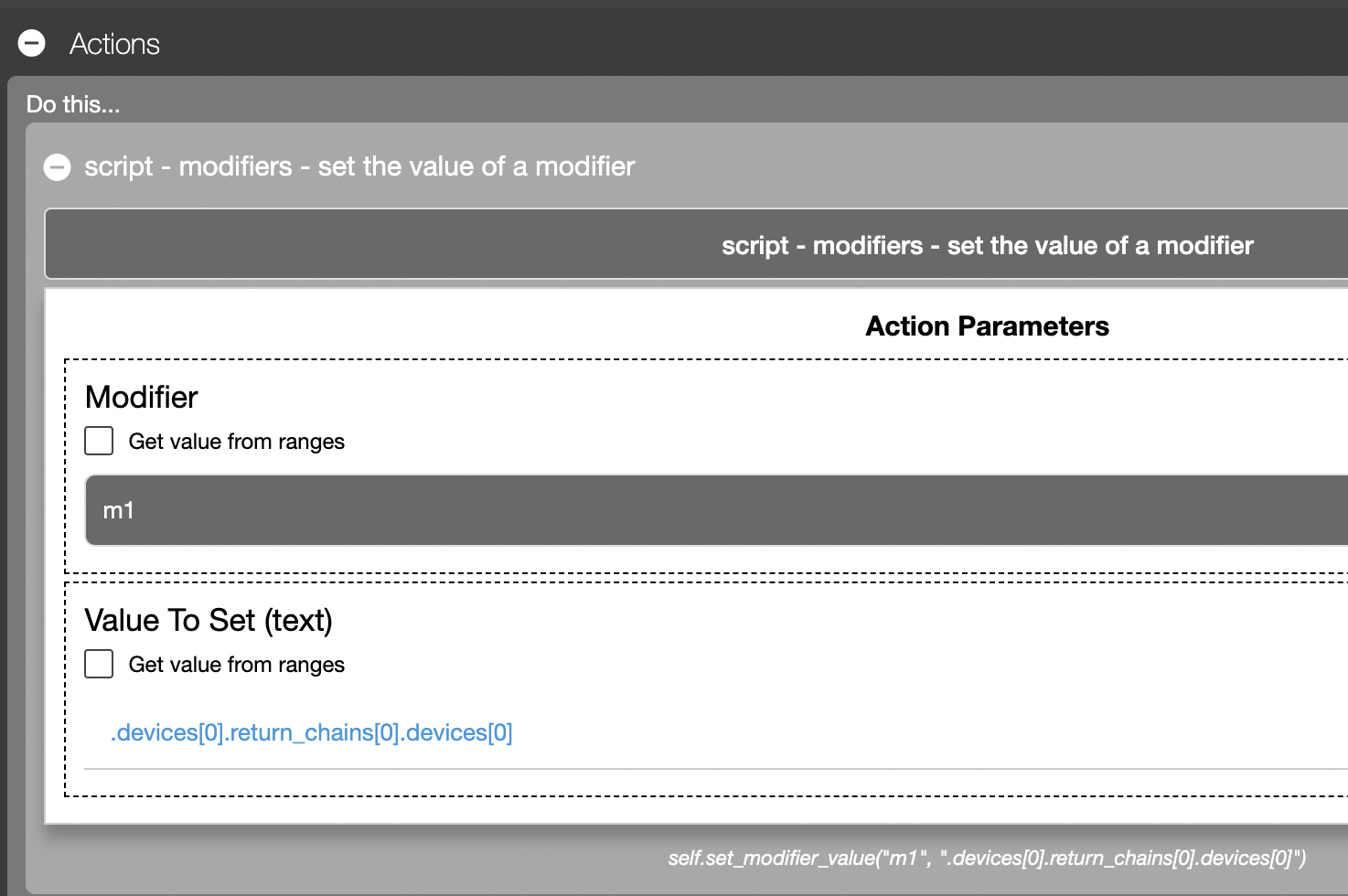
The script json is attached.
Sign up
User registration is currently not allowed.