If selected Device is X > Then Input Y > Controls Z – Struggling with Reactions and modifiers

Hi there,
This might be very straightforward but would appreciate the help regardless – I’ve had CSSv3 for a week so just getting to grips. I can work out simple controls mostly from tutorials or messing about, but I’m struggling to get my head around Reactions. I have buttons and modes mapped so that I can enter into a Selected Track and button through Selected Devices, no problem! The Action(s) I am trying to implement and struggling over is as follows:
- If Selected Device = EQ Eight
- Knob 1 controls Parameter 6
- Knob 2 controls Parameter 7
- etc. up to Knob 12
- If Selected Device = Auto Filter
- Knob 1 controls Parameter 1
- Knob 2 controls Parameter 5
- etc. up to Knob 12
- If Selected Device = Saturator
- Knob 1 controls Parameter 2
- Knob 2 controls Parameter 3
- etc. up to Knob 12
Essentially, I am trying to understand how to set my script to listen to the name of the device (I think I can do that), and if it matches with that Reaction the knobs are reassigned to control the parameters that I want for that specific device.
My plan is to work this out for one device (likely starting with EQ Eight as I use it the most) and then I can duplicate and reset the Modifiers for each of the Devices I want to from there. If there is a better way of doing this I would love to hear it!

You could skip using modifiers for this and use separate modes or each configuration of knobs.
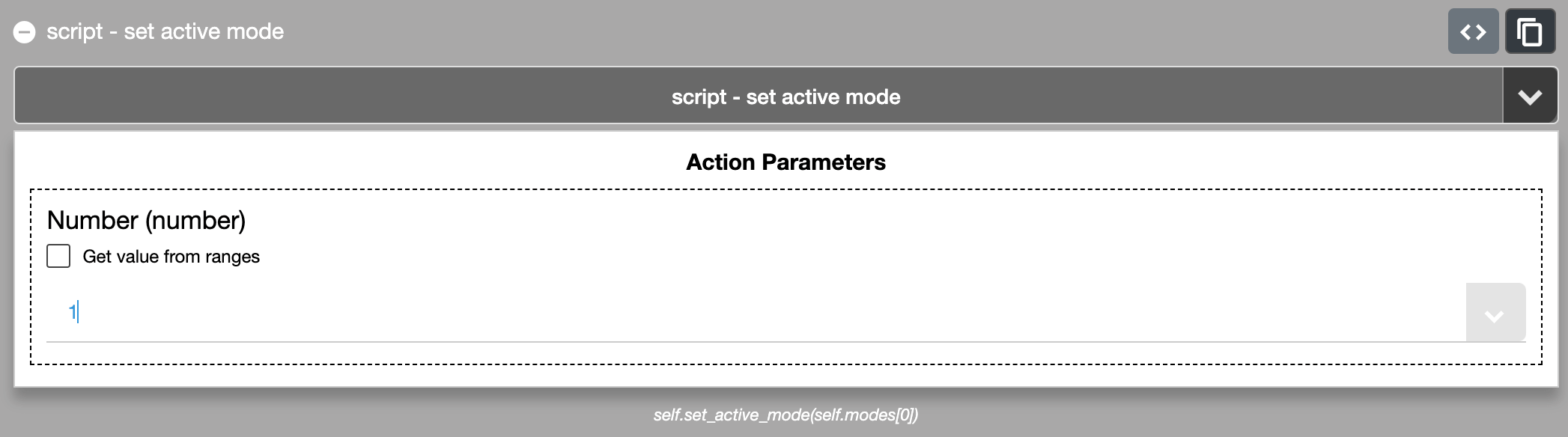
Use the action “script > set active mode”
Add a mode for each device and name give it a descriptive name i.e. “EQ Eight Mode”
Then add the device parameters in each mode.
This method might be less confusing in the long run as you can visually see the device parameters in each mode.
Hi John,
Thanks for the speedy response! I’ve made an “EQ Eight Mode” as suggested. For the reaction I am attempting the following:
Listener > self.song().view.selected_track.view.selected_device.add_name_listener
Condition > self.song().tracks[0].devices[0].name == “EQ Eight”
Action > self.set_active_mode(self.modes[None])
Not sure if this is correct but how do I make this point to the EQ Eight Mode to make it active?
In the code, [None] needs to be replaced with the mode number
i.e. [0].
The number should match the order they are listed in, in the modes section (excluding the global mode) and they count from zero rather than 1.
So the first mode in the list would be [0], the second [1] and so on.
Hi John,
I have tried this but the Set Active Mode doesn’t seem to function when an EQ Eight is the Selected Device. Can you tell if I have the correct Listener enabled from the description above?

Sign up
User registration is currently not allowed.
Is it only when EQ Eight is selected but works for the other devices?
If so, it’ll be the name ‘EQ Eight’ isn’t the correct name for the device (check the device name in ableton).