Targeting audio effects racks within Drum Rack?

Evening, folks –
I’ve been trying to work out how to target Audio Effecs within a Drum Rack, and I seem to keep reaching an impasse.
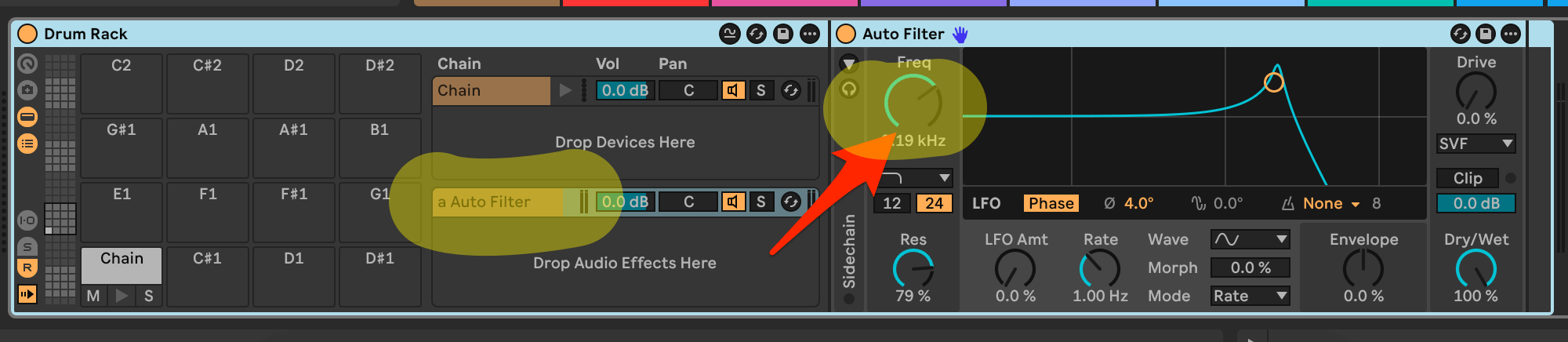
Might anyone be able to suggest how I’d want to reach parameters in the second rack, as shown below?
I have the parameter lists and can get to “Drive” in other instances, as well as using chain targeting to reach the parameters for the drum samples themselves.
I just don’t seem to be able to drill down to the items in the “Drop Audio Effects Here” section.
Any insight is vastly appreciated!


You’re wanting to target a send channel in the device chain.
I’m not sure what the targeting code is for this but maybe something like this:
.devices[0].sends[1].devices[0]
That’s a guess though.
It looks like I may still be off. I keep getting “parameter does not exist” messages.
If I could get a handle on how to reach the “Drop AUdio Effects Here” area shown below, I should be able to figure the rest out:

I did try “.devices[0].chains[0].devices[0]” – it doesn’t seem to let me drill into those nested audo effects, though.
No variance of chains and devices seems to be getting me there, though…..might there be any other variance you could suggest?
Thanks a ton!!! (Almost there!!!)

I think it could be this:
self.song().tracks[0].devices[0].return_chains[0]
Then add the device number on the end like this:
self.song().tracks[0].devices[0].return_chains[0].devices[0]
Hey – thanks, JohnC!
That doesn’t seem to have done it – I added the suggested code to the JSON and corresponding .py for the script – I’m getting “Parameter does not exist in this session for mapping.”
I’ll admit that I’m BARELY a coder, but I can navigate Sublime and edit if I have simple instructions if I’m approaching wrong.
If there were a code snippet for a hypothetical script like this….
Drum Rack on Track 1
> Audio Effect Rack within Drum Rack
> > Parameter #1 in Audio Effect Rack
….I could make edits to whatever else – if that’s easier. (Actually, a script that hits…
“parameter 1” and “parameter 2” on effect 1, rack 1
and
“parameter 3” and “parameter 4” on effect 2, rack 2
would be perfect – that way I can just reuse the logic across the rest of the script I edit.
If you like, I can send the code that I have right now as well.
(Thanks for your help!!!)
I tested it and the code works (I can control the first parameter of the first device in the first return chain of the drum rack).
How i did it was by doing the following:
1. using the new ‘Use Modifier For Device Selection’ section located in the ‘device selection’ section in the device parameter mapping type:
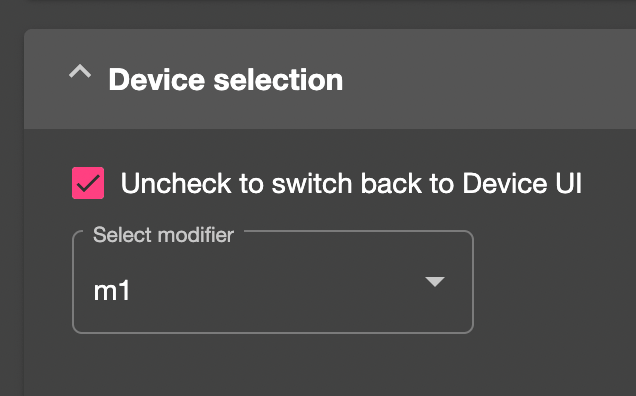
This sets the location of the device you want to control/target.
2. then setting the value of the modifier via a reaction which uses the ‘script is initiated’ listener to set the value of the m1 modifier to “.devices[0].return_chains[0].devices[0]” when the script it initiated.
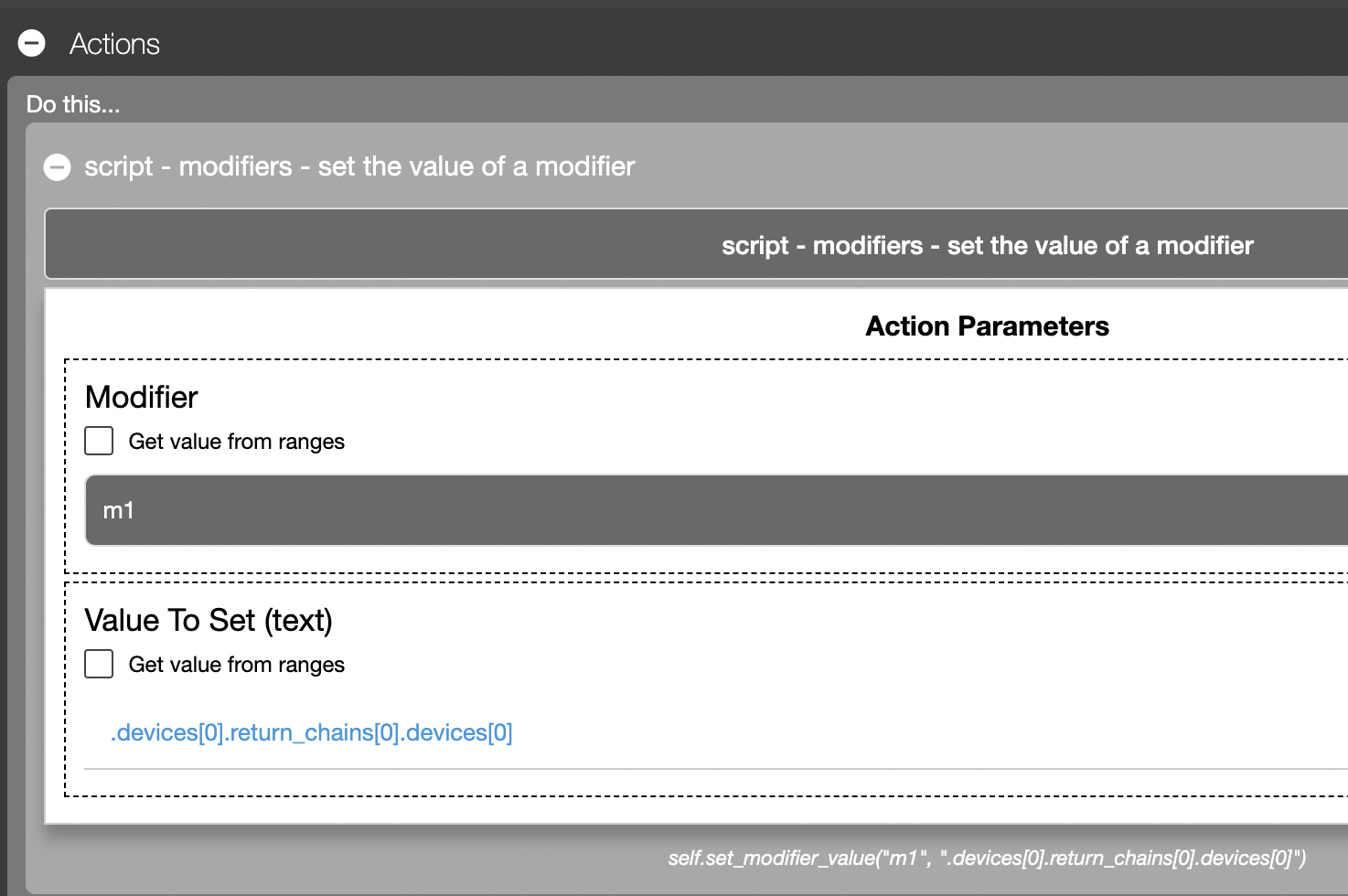
The script json is attached.
Sign up
User registration is currently not allowed.
Did you try this?
.devices[0].sends[0].devices[0]