Custom Mapping Xone K3 Ableton for Live Set

Hey,
I just bought CSS3 and already spent a couple of hours trying to figure it out. I am a live act and want to create a custom script to use the Xone K3 to control Ableton. Here are my questions for now (I will edit and update along my exploration):
1. How can I use more than 4 return channel? Can I say that the Layer 2 only changes the upper encores and knobs, but the rest stays the same? So I could use up to 12 return channel with the 3 Layers? How can I implement the Layer and Shift function?
2. If I use two Xone K3 controllers, how can I connect them, so if I scroll on one, it also scrolls or updates on the other one (session box, faders etc.)?
Thank you so much for your help, I really appreciate it and do hope someone can make this work. I’d love to keep CSS3.
Best regards

To make a shift style button which switches between modes, you need to add 2 mode selector mappings.
I’ve attached a script containing the mapping described below which you can import into CSS and use. just make sure to change the controller input (button/pad), modes to select and ensure the input control override sections will work for your input.
For this example we will be switching between mode 1 and 2.
(make sure the button you are using is momentary, not toggle)
add a mapping to select mode 2 when button is pressed, a second mapping to select mode 1 when the button is released.
In each mapping, choose the mode which will be activated.
Then change the ‘Input control override’ to custom.
The key is to change the ‘off’ velocity value of the first on to a value which the button DOESN’T send when it is released – so anything but 0.
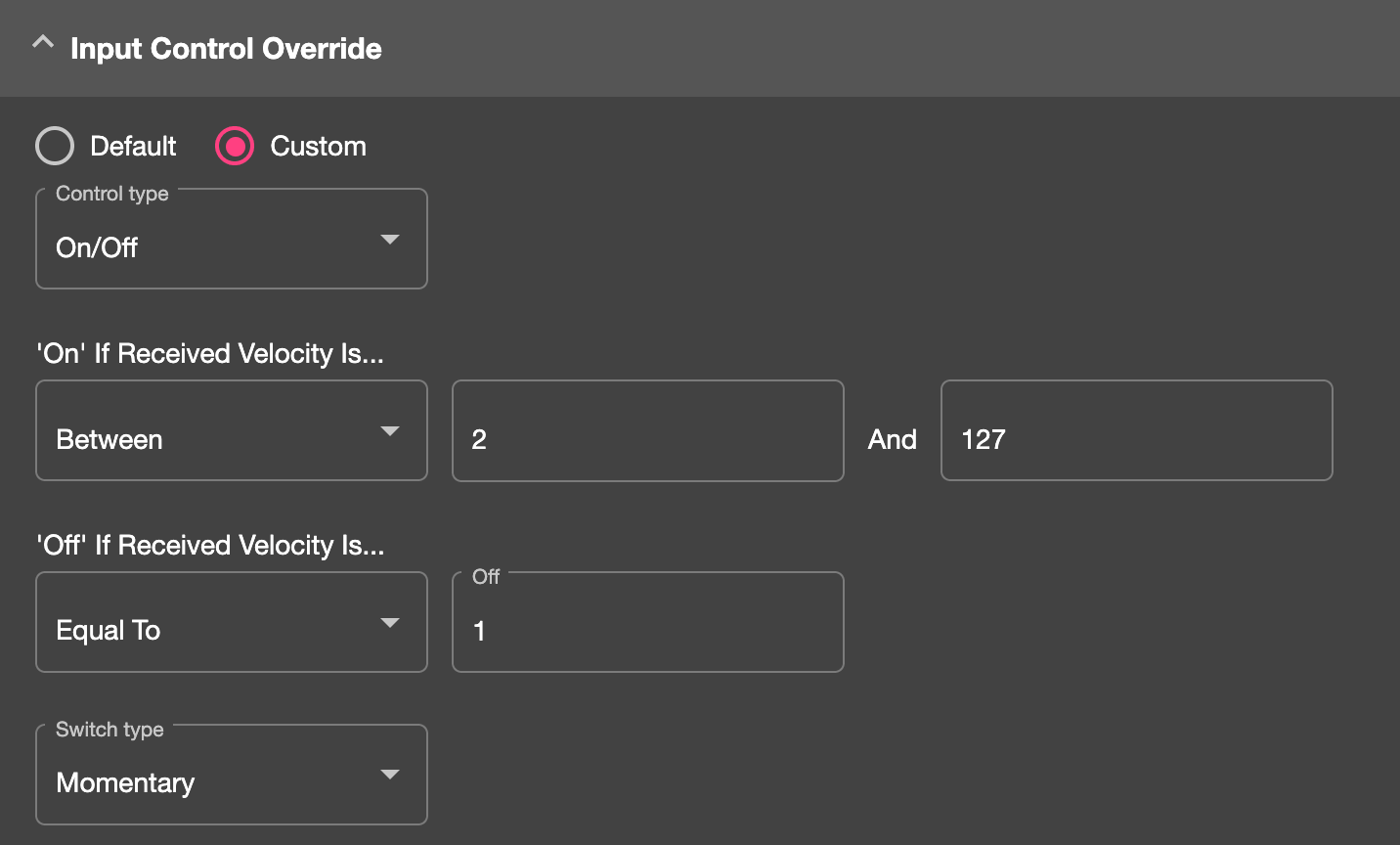
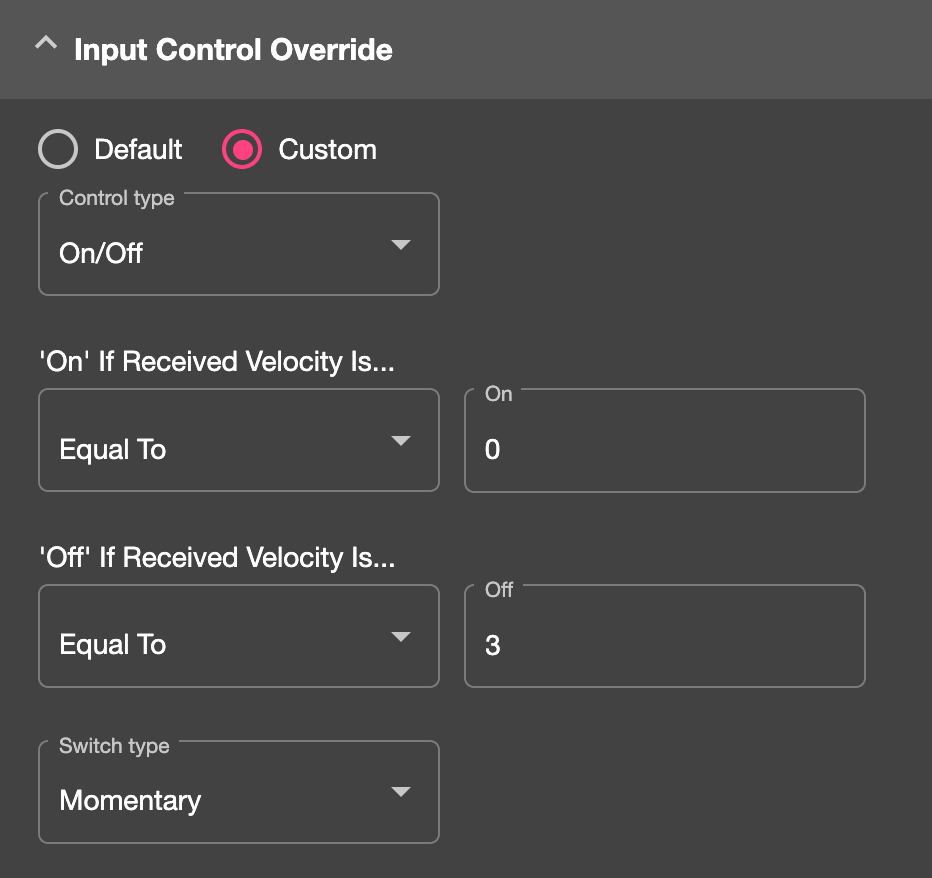
Then the second mapping, change the On value to 0 so the mapping fires when the button is released. Then change its off value to anything other than the value sent when the button is pressed – so usually anything but 127.
Sign up
User registration is currently not allowed.