Control mouse click with Python

Hi Remotify forum members,
I see that Remotify has a user.py script that can run methods (a python class), can I run python code here that I currently run in terminal?
I have a python script (that I run manually) that listen for a specific midi command (sent from a midi controller when a button is pressed), when this command is received it clicks the ‘Type’ area (see attached picture) in Ableton’s browser to activate it so that I can copy in clip packs from a folder to tracks (Deck A and B). I do this as I have no other way of Activating Ableton’s browser.
I’m a bit of a new beginner in scripting and with Ableton so I would like to know if it is possible before I spend to much time on it, is this something that can be done with Remotify and python?
These are my imports in my python script;
import argparse
import os
import signal
import sys
import time
import rtmidi
from pynput.mouse import Button, Controller as MouseController
from pynput.keyboard import Key, Controller as KeyboardController

Hi remotify forum members,
I’m very slowly getting to grips with Abletons Control Surface (python) and I’m studding Max4Live’s LOM and trying out AbletonOSC to explore Abletons API but as a beginner this is very hard going.
From the Max4Live LOM and the reverse-engineer Python API I can see that it should be possible to browse Abletons Browser and select clips and clip packages and load them into Ableton session view just like Ableton Push can do.
My current question is about the way Remotify CSS’s interacts with LOM.
E.g. when I send this command to the AbletonOSC Control Surface
>>> /live/clip/get/file_path 0 0
it returns
0, 0, /Users/joachim/Documents/dance/Good DJ set/9A- E Minor/9a_124_Stranger Things Felix Cartal Project/Samples/Imported/Felix Cartal – Stranger Things.wav
From my understanding AbletonOSC it uses Live.Clip.Clip.file_path Property to get this information.
In Remotify CSS I see that from Reaction I can access many of the Clip set methods but I don’t see any get methods.
My question is, can I call get methods from Remotify CSS Reaction even though they are not listed?
I would try if myself but I’m having trouble understanding how to convert the API to code that would work
e.g how would I turn this into a get call that I could use with Remotify CSS
Live.Clip.Clip.file_path Property
Get the path of the file represented by the Audio Clip.
Clip API found here
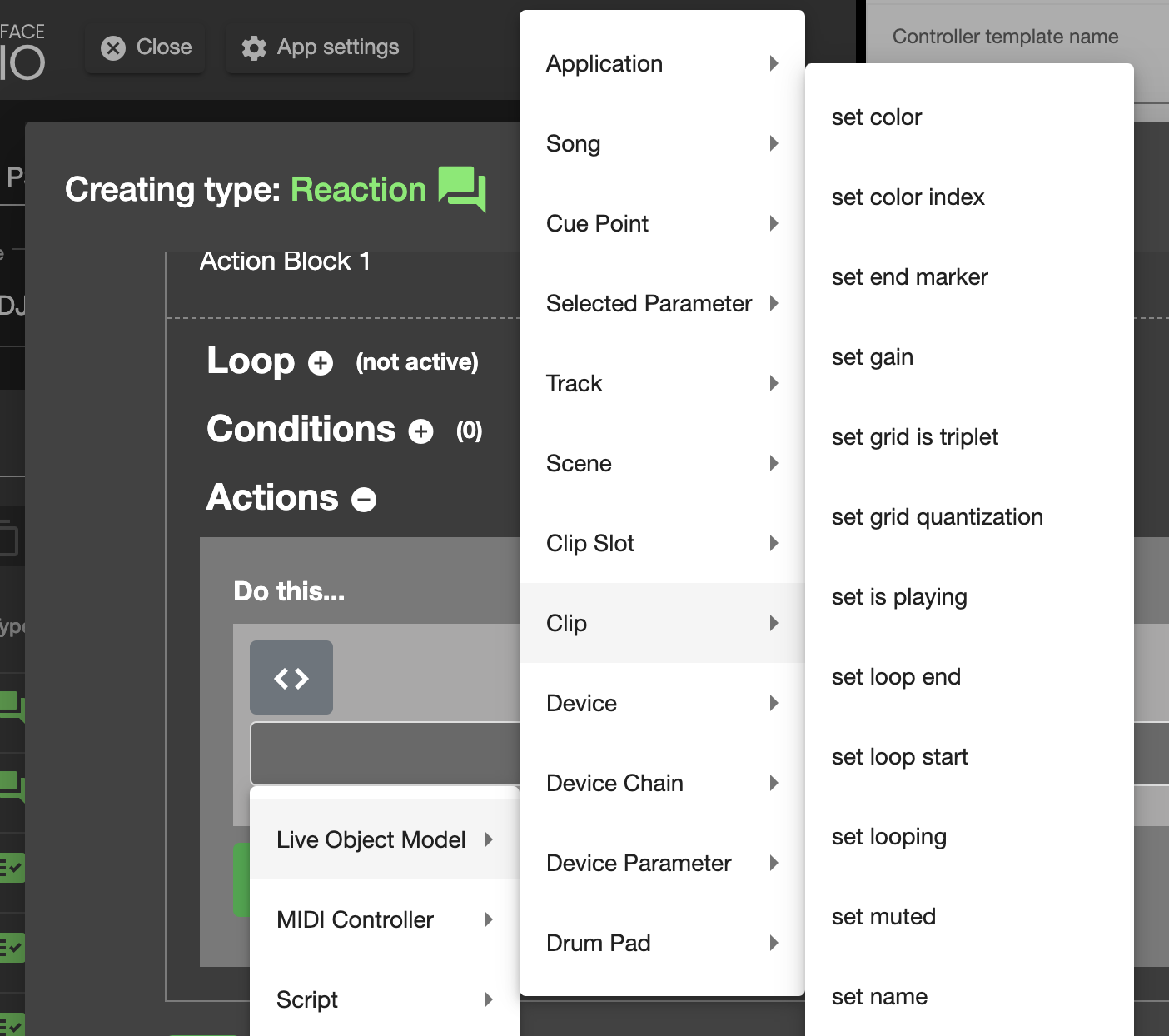
Edit:
Small update, I found that I can get the Clip name if I leave out ‘= “”‘
Get Clip name
temp = self.song().tracks[0].clip_slots[0].clip.name
self.log_message(“csslog: ” + str(temp))Set Clip name (generated from remotify CSS GUI)
self.song().tracks[0].clip_slots[0].clip.name = “New Name”
Edit 2:
I found that I can also get the full file path of a clip
temp2 = self.song().tracks[0].clip_slots[0].clip.file_path
self.log_message(“csslog: ” + str(temp2))would give me something like this
/Users/joachim/Documents/dance/Good DJ set/9A- E Minor/9a_124_Stranger Things Felix Cartal Project/Samples/Imported/Felix Cartal – Stranger Things.wav
Sign up
User registration is currently not allowed.