Ableton LiveCtrl

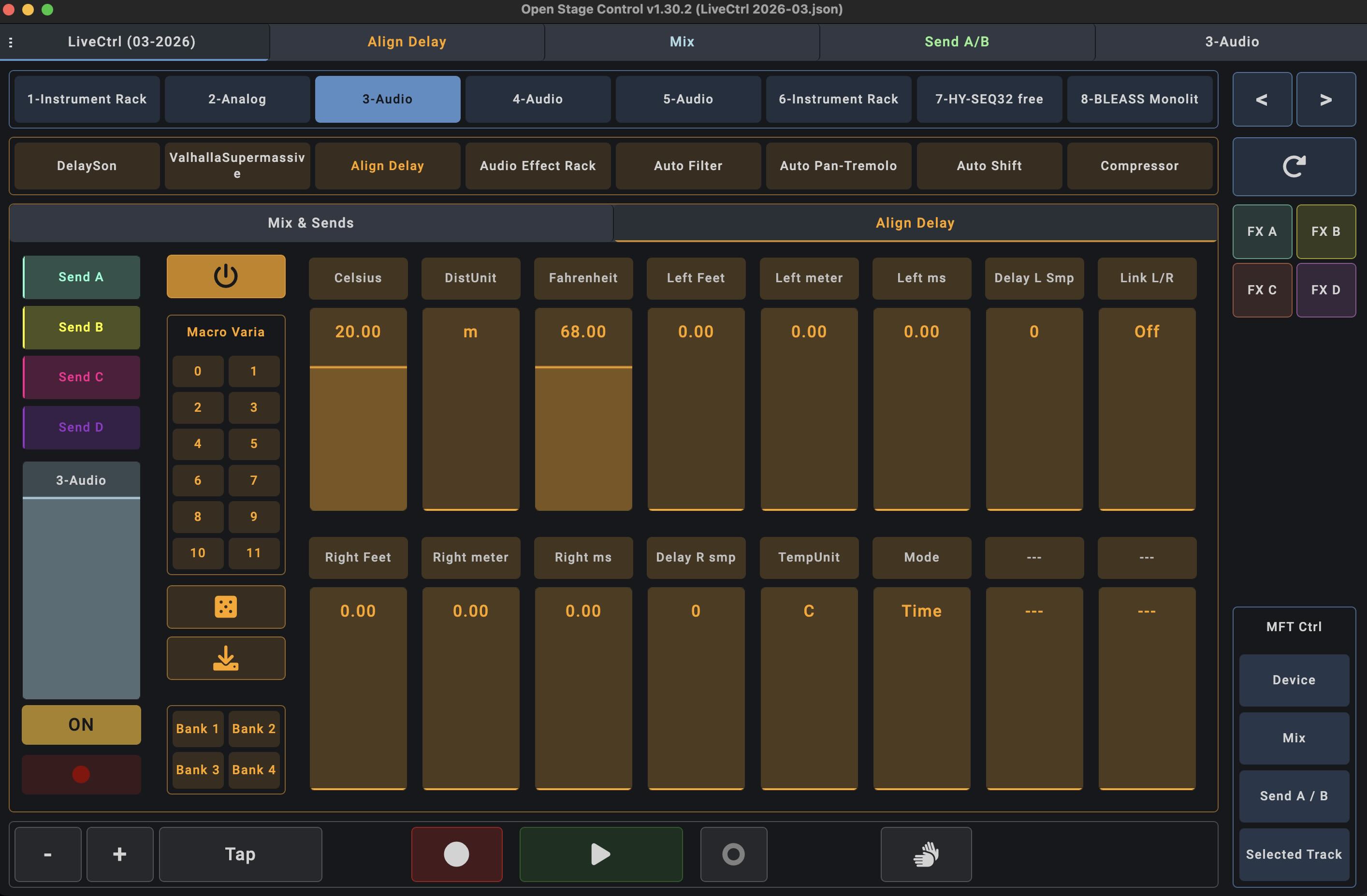
Hi, this is my attempt for an Ableton Live controller as “extension or parameter display” for the mighty MIDI Fighter Twister. But it also works standalone as Open Stage Control touchscreen controller.

The buttons in “MFT Ctrl” let’s you select, which parameters (volume and mute, device parameters 1-16 or fx send levels) should also be controlled by the MFT.
There seems a limitation in CSS that it doesn’t provide the “blue hand” functionality. So you also need to select another controller that provides the “blue hand”. In my case this is a Novation Launchpad that I use anyway to play Ableton Live clips or instruments. (this functionality has been added to the scripts, see comment from John)
In the zip you find all the necessary files for the MIDI Fighter Twister, Open Stage Control and Control Surface Studio/Ableton remote script:
https://openstagecontrol.discourse.group/t/ableton-livectrl/3725?u=wombat
I have no programming skills, it’s not finished and I wouldn’t promote it as “live” ready ! But I also don’t find the time to further work on it at the moment. So I thought I load it up the way it is – maybe you can use it, improve it or take some ideas out of it for your own templates.
Please consider sharing your ideas and improvements for the controller community.
Regards
You can download the latest version of LiveCtrl at: Open Stage Control
Changes:
- session box and track navigation
- 4 banks of device parameters with parameter name and values
- macro variations
- selected track functions
- transport functions
- tabs for smartphone size
- “MFT Ctrl” selects banks in the MIDI Fighter Twister and the according tabs (smartphone size) in LiveCtrl
This script is free and “work in progress”. Parts of custom python code written with Copilot.
Regards, mj
Sign up
User registration is currently not allowed.