New to the software, struggling to get started.


I am trying to set up two Intech Studio EN16 Modules to automatically connect to this Audio Effect Rack, so that 31 of the 32 encoders connect to the 31 bands on AUGraphicEQ and the final encoder connects to the gain on Utility. I want it to connect both on a selected Ableton track and within individual tracks within Drum Rack depending on what I have selected.
I followed the youtube tutorial and so far have only been able to get it to control macro 1 on the Audio Effect Rack.
Also ideally I’d like any information on the possibility of setting up the push buttons on the encoder to scroll through different velocities, i.e. -20db-0-20db on the EQ bands.

From your screenshot it looks its the second device in the first chain of the parent device.
So to control a parameter in there you would use the “chain targeting” section in a Device Parameter mapping.
See the settings in theis screenshot, that should target the device correctly (assuming the parent Device rack is the first device in the track device chain.
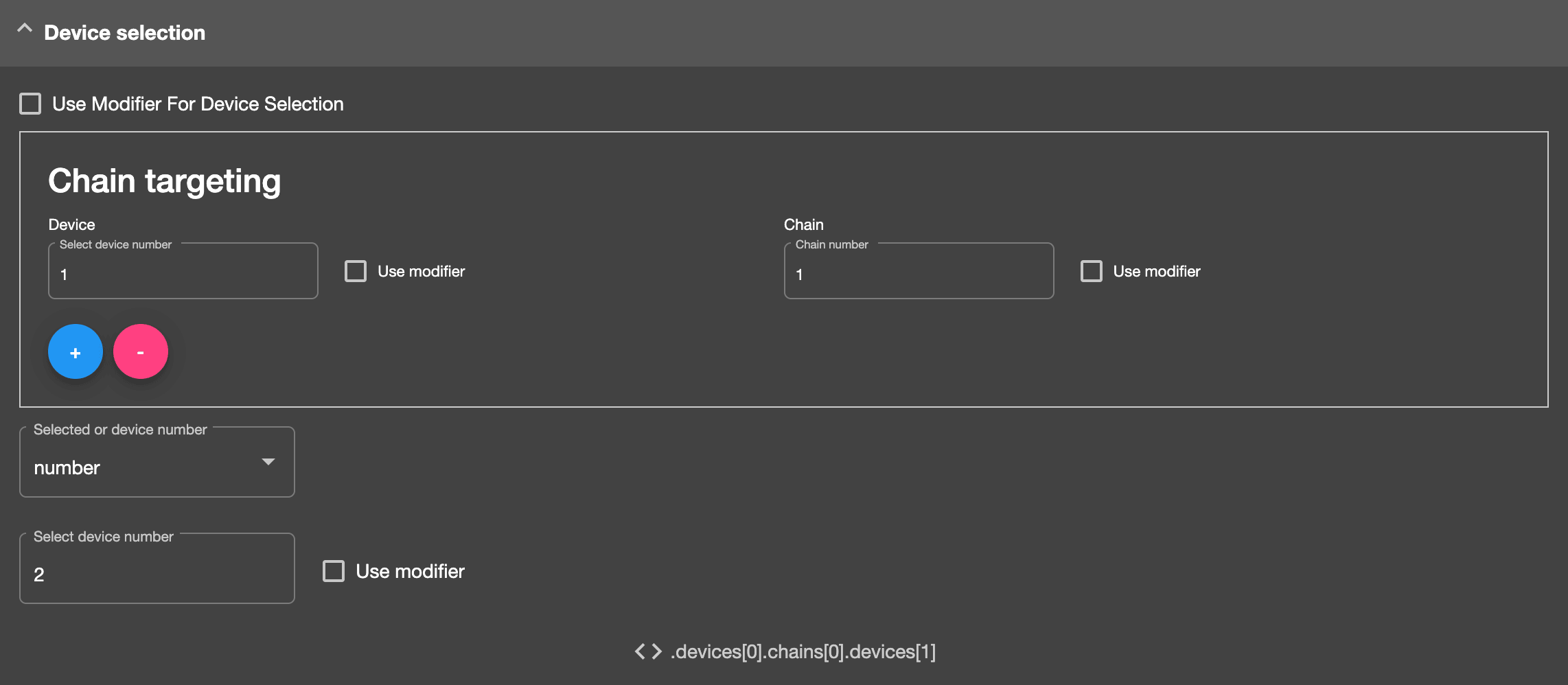
Also, you can do more advanced device targeting via Reactions.
Here’s info on how to target a device by name.
https://community.remotify.io/knowledge/control-a-device-parameter-by-device-name/
In answer to this:
Also ideally I’d like any information on the possibility of setting up the push buttons on the encoder to scroll through different velocities, i.e. -20db-0-20db on the EQ bands.
I’ve attached a Reaction which can do this. Import it into your script, then select the listener to be your button.
This Reaction will alternate the value device parameter value between 0, 50 and 127 each time the assigned button is pressed.
Works for the first parameter (after the device on/off button) on the first device on track 1.
Note – the device parameter must use value range 0 – 127 i.e. device macros. if the device parameter uses different values then you will need to change this reaction’s conditions and actions to match.

Thank you for your time and help!
I got the parameter scroll working.
I’ve followed the tutorial you sent and I have been able to locate my Audio Effect Rack on tracks and is working as intended, but I’m unable to get it to find the same EQ Rack within individual Drum Rack tracks, is it possible to write something that will work both within selected tracks and within individual drum tracks?

Yes you can set it to the selected track and then target a device within its device chain – as you have done in your screenshot.
One potential issue I see – You have set one of the options to use a modifier, you would need to ensure that this is being set to the correct device number.
So ideally, I want it to access the device by name which is why I’m using the modifier, is it possible to search by device name within a selected drum rack track the same way it searches by device name on the selected midi/audio track? (I’ve included another screenshot for an example.)
Also I’m having a hard time getting the scrolling reaction to match up to the device name modifier, I just wanted to make sure the screenshot I sent on Sept 1st of the Reaction routing matches the parameter mapping.
Thank you again for your help!
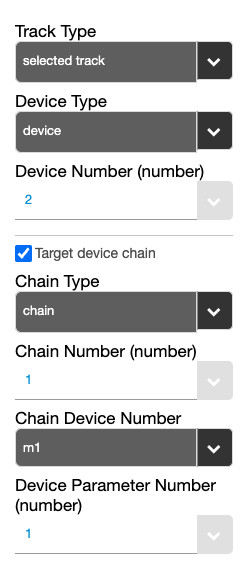
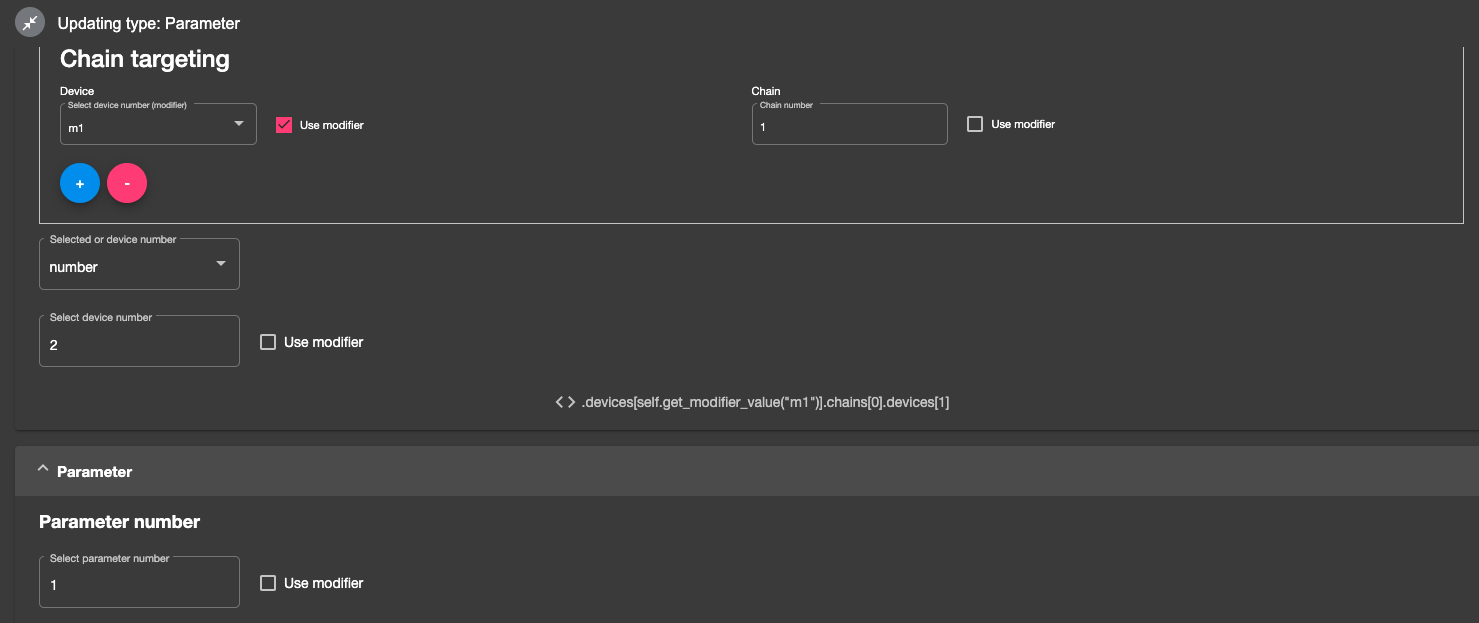
Here I have the same Eq Rack, “J EQ” that I made the modifier to search for. If you could point me in the right direction of having it search through the selected drum rack track for the device name that would be much appreciated.
Sign up
User registration is currently not allowed.
I’m struggling to get the scrolling to work with the right parameters, just wanted to confirm that the way I am doing it corresponds to the correct device chain (pictures posted below)