This article explains the various MIDI velocity data types which physical inputs (buttons, knobs, faders etc) send from the hardware/midi controller to the computer when you perform an action with them (press, turn, slide etc) .
Each input is programmed directly in the midi controller to be one of the following: Absolute, Relative, On/Off Toggle or On/Off Momentary.
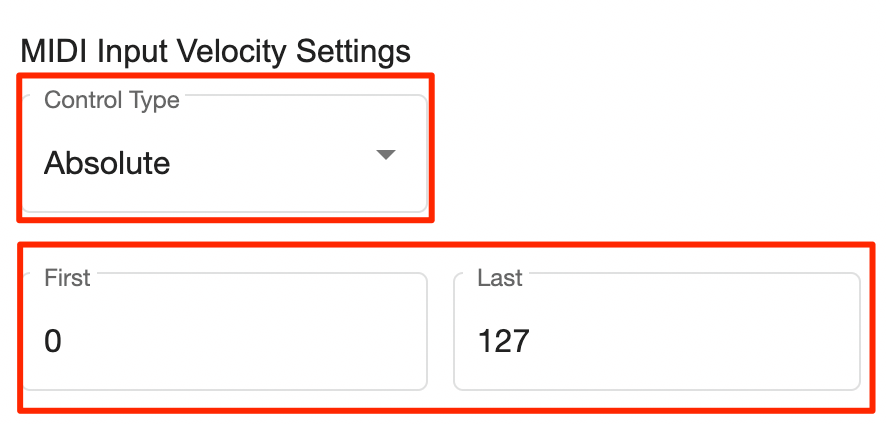
See details on entering MIDI Velocity settings
| Control Type | Used By | How It Sends MIDI Velocity |
|---|---|---|
| Absolute | Knobs, Faders, Encoders, Velocity Pads/Keys | Sends a continuous stream of values (0–127) as you turn, slide, or press. |
| Relative | Endless Encoders | Sends one value when turned left (e.g., 54), and another when turned right (e.g., 100). Faster turns may send different values. |
| On/Off (Toggle) | Buttons, Pads, Keys | Sends a velocity ‘on’ value when pressed+released (On), then a second value on next press+release (Off). |
| On/Off (Momentary) | Buttons, Pads, Keys | Sends a velocity value when pressed (On), and another when released (Off). |
Absolute
Used by Knobs, Endless Encoders, Faders, velocity sensitive pads and keys.
Inputs configured as ‘Absolute’ send a stream of MIDI velocity values when turning the input from 0 to 127. Velocity sensitive keys/pads also send MIDI velocity in this fashion.
Relative
Used by Endless Encoders.
Sends a MIDI velocity when turning left and another when turning right. i.e. turning left sends 54, turning right sends 100.
Note: relative controls may send a different MIDI velocity value when turning the control faster.
On/Off (Toggle)
Sends a MIDI velocity value when the button is pressed then released (on value). Then sends a second value when the button is pressed then released again (off value). Used by buttons.
On/Off (Momentary)
Sends a MIDI velocity value when the button is pressed (on value), then sends another when released (off value). Used by buttons, pads, keys.
Configuring Control Types
Its usually possible to change the control type which an input is configured to on your midi controller via an editor specific to the unit. See your midi controller manual for details.
Example:
Knobs and Encoders can be configured to be Absolute or Relative.
Buttons, Pads and Keys can be configured to be Momentary or Toggle On/Off control types.
See the manual for your midi controller to learn how to do this.
CSS Controller Template
Although Control Surface Studio has options to set a controller input to i.e. Absolute or Relative. It’s important to note that this doesn’t change the actual MIDI data which the input is sending from the midi controller.
When configuring inputs in the Controller Template section of CSS, we recommend setting the MIDI Input Velocity Settings > Control Type to match what the physical input is set to.