The left column in the CSS Homepage displays the following user & app information:
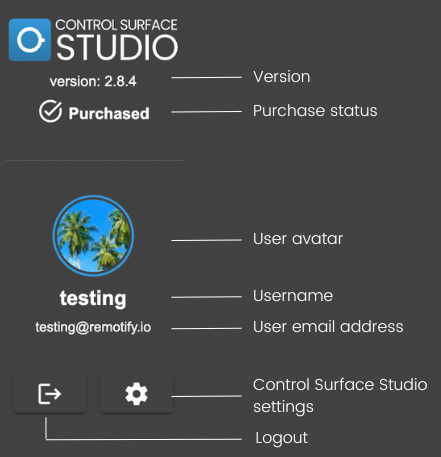
Version
Displays the app version number which you are currently using. You download the latest version of Control Surface Studio from the Downloads section your account.
Purchase Status
Shows your current purchase status of Control Surface Studio.
User Avatar
Your Remotify.io user Avatar. You can change your Avatar by going to https://community.remotify.io/ and logging into your account. Then click the icon in the top right corner and select ‘Edit Profile’. Here you can upload a new Avatar image.
Username
Your Remotify.io username (this cannot be changed).
User Email Address
The email address associated with your Remotify.io user account. You can change the email address by logging into Remotify.io and going to the ‘Account Details’ section My Account.
Logout
Click this button to logout and return to the login screen.
Control Surface Studio Settings
Clicking this button will open the Control Surface Studio Settings Menu.