When configuring the settings for a physical controller input in Control Surface Studio, entering the correct velocity settings is important. MIDI Velocity is what controller inputs usually send to the computer when you press/turn/move them on your midi controller.
For details on what each type sends, see this article: Absolute, Relative, On/Off Inputs and MIDI Velocity
How to find/see the velocity
Control Surface Studio makes it super easy to see the velocity being sent by an input as you tweak it.
The MIDI Learn Panel which you will see in the bottom right corner of the Script Editor displays the latest MIDI data sent by any connected MIDI controller, sent in real time.

The part we’re interest in is the Velocity. As you press/turn/move the physical input, this will instantly update.
The values which appear are what you should enter into the MIDI Input Velocity Settings section of the Controller Input Settings form or anywhere else where you need to monitor the received MIDI velocity of an input (i.e. a Reaction mapping).
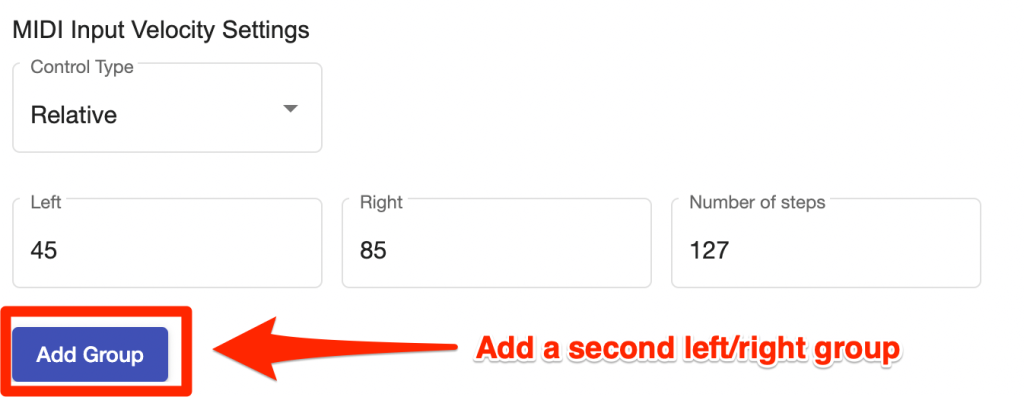
Relative Encoders/knobs
When you turn one of these to the right you will see 1 value and then turn the left you will see another. In some cases, a Relative input may send a secondary left & right value if you turn it faster. You can use the ‘Add group’ button to add a secondary set of left/right values.
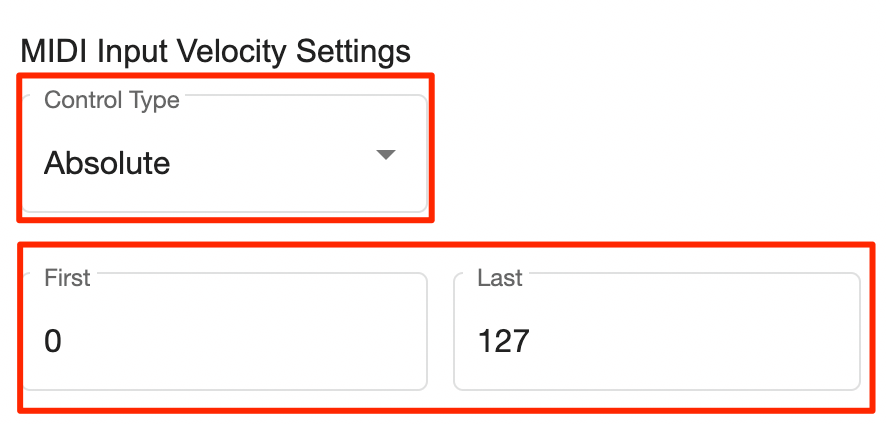
Absolute Knobs
Use the values the last value which is sent when you turn the knob all the way to the left and all the way to the right. This is usually 0 and 127.
On/Off Buttons/Pads/Keys
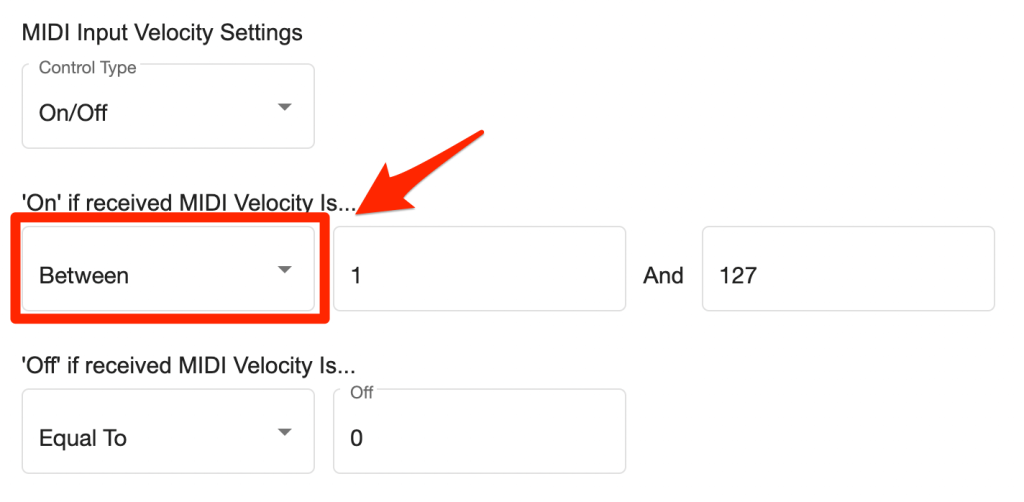
Use the values which are sent when you press the input (On) and when you release it (off).
Toggle Buttons
These requires 2 presses, the first press will send the On value, the second press will send the Off value.
Velocity Sensitive Pads/Keys
Similar to Absolute inputs, these will send a stream/range of velocity values from 0 – 127 as press harder on the input.
As a rule of thumb, 0 can be set as the Off value and then utilise the ‘Between’ option in the Controller Input Settings form to set anything from 1 – 127 as On.