Broken Layout
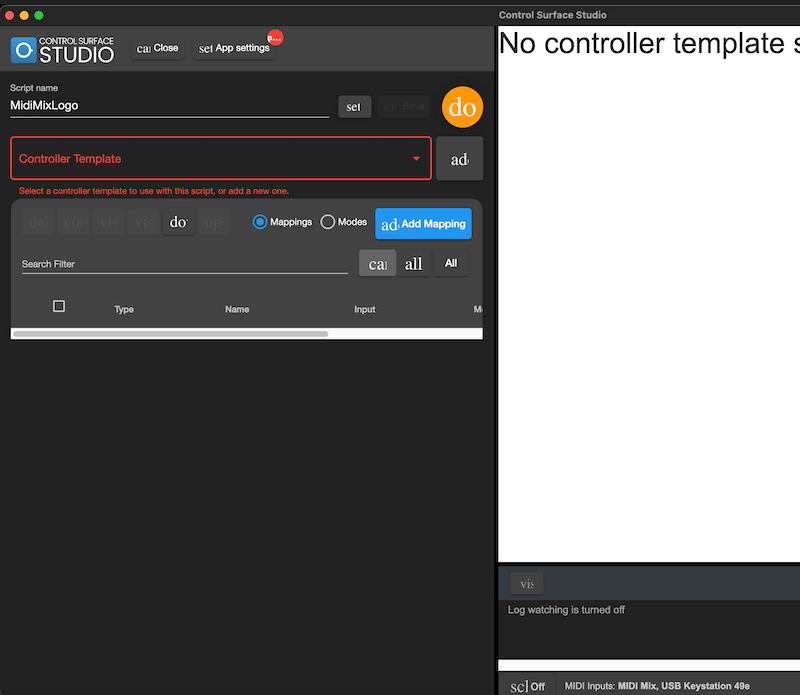
If you have opened CSS App for the first time and the layout looks broken (similar to in the above screenshot), here are steps you can follow to fix it.
Delete/Reset The Config Files
Firstly, close CSS, then delete the all config/settings files. You could also delete and re-download the CSS app at this point too.
Re-open CSS and see if the layout is fixed.
Missing Icon Font
It may be the case that the required icon fonts have not downloaded with the App.
First try re-downloading CSS again.
If this doesn’t fix the issue, try downloading the google material icon font to your system.
https://github.com/google/material-design-icons
You can download it using the following terminal command on Mac: brew install –cask font-material-icons.
Then open CSS again and hopefully it will now be fixed for you.